Amber Lanes
Roll ten frames in a warm 3D bowling club. Aim for the pocket, shape your curve, pick up spares and chase a perfect 300.
How to play
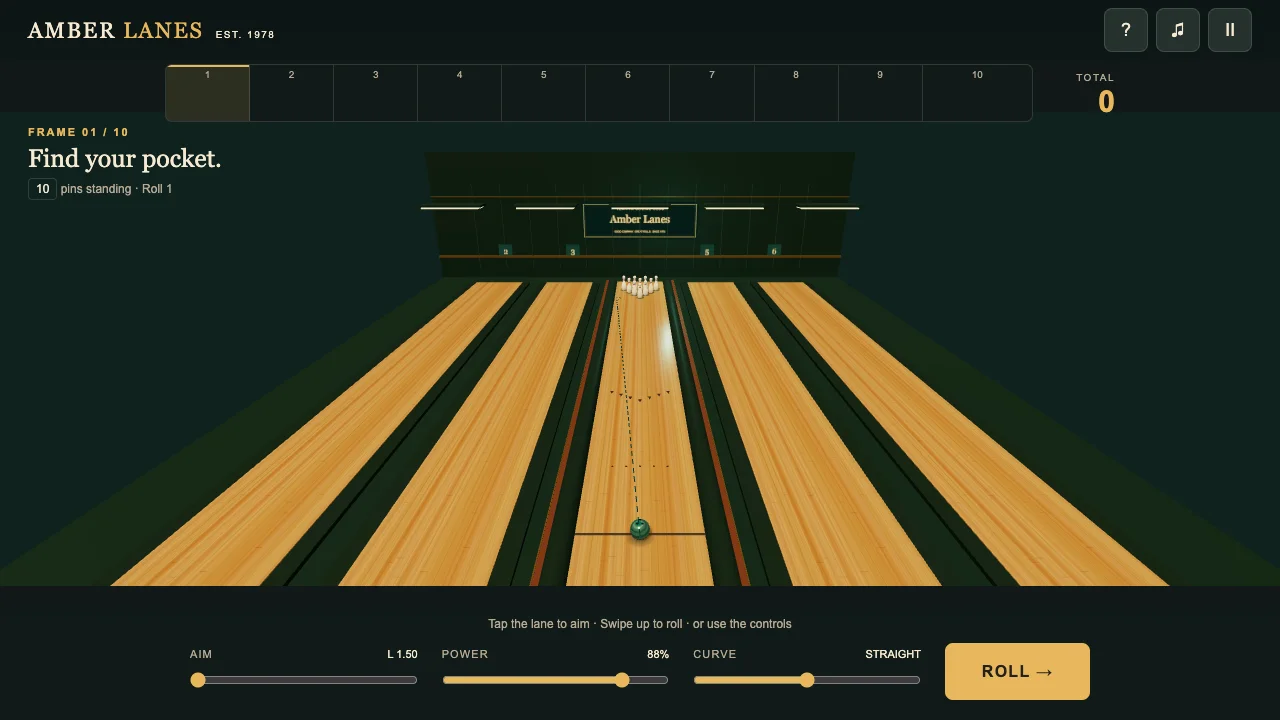
Press TAKE THE LANE. Tap the lane or use AIM to choose the initial line; POWER controls ball speed and CURVE bends the path left or right. Press ROLL, or swipe upward on the lane: swipe distance sets power and sideways movement adjusts aim. You have two rolls per frame. A strike (X) scores ten plus the next two rolls; a spare (/) scores ten plus the next roll. In frame ten, a strike gives two bonus rolls and a spare one. Aim just beside the front pin to reach the pocket. There is no time limit.
Controls
- Mouse or touch: tap the lane to aim; swipe upward to roll
- Aim, power and curve sliders; ROLL button
- Left/right: aim; Shift: fine aim; up/down: power; A/D: curve; Space: roll
- P/Escape or pause: pause; ? button: rules; music button: mute
Tips
- A head-on hit can leave a split. Find the pocket beside the front pin.
- Curve changes your path late in the roll. Read the dashed guide before releasing.
- Frame totals wait for strike or spare bonus rolls; the tenth can have three rolls.
About Amber Lanes
Step into an original ten-pin bowling club with polished maple lanes, deep green walls, brass details and a marbled teal ball. Play a complete ten-frame solo game with standard strike and spare bonuses, including bonus rolls in the tenth. Set your aim, power and curve, then roll with the button or an upward swipe. A dashed guide previews the path before pin contact. The camera follows the ball down the lane, and the same deterministic impulse simulation handles ball contact and pin-to-pin collisions. Fallen pins are cleared between rolls while standing pins stay for the spare attempt. Gutters and missed pins count as zero. There is no timer. A scorecard shows completed frame totals once their bonuses are known, and your personal best is saved when storage is available.